Imagine opening an old family photo after several years and discovering that it won’t open anymore. Or finding that an important backup file has become unreadable even though the storage device looks perfectly fine.
This type of problem is often linked to something called bit rot.
Bit rot is a slow and often invisible form of data corruption. Unlike corruption caused by power failures or accidental deletion, bit rot can happen gradually over time without any obvious warning signs.
In this article, we’ll explain what bit rot is, what causes it, how it affects your files, and what you can do to protect your data.
What Is Bit Rot?
Bit rot is the gradual corruption of digital data over time.
Every digital file is made up of billions of tiny binary values called bits. Each bit stores either a 0 or a 1.
When one or more of these bits change unexpectedly, the stored data is no longer exactly the same as when it was originally saved.
If enough bits change, the file may become damaged or completely unreadable.
Because this process often happens silently, bit rot is also known as silent data corruption.
Why Is It Called “Bit Rot”?
The term “bit rot” doesn’t mean that the bits are physically rotting.
Instead, it describes the gradual deterioration of stored digital information.
Just as paper documents can fade over time, digital data can also become less reliable if errors accumulate and go undetected.
In reality, the storage media, hardware, or file system is usually responsible—not the bits themselves.
How Does Bit Rot Happen?
There isn’t a single cause of bit rot.
Instead, several factors can contribute to small changes in stored data over time.
Aging Storage Devices
Every storage device has a limited lifespan.
Hard drives, SSDs, USB flash drives, memory cards, and optical discs eventually wear out.
As storage cells age, they become more likely to store incorrect information.
Magnetic Degradation
Traditional hard disk drives store information magnetically.
Over many years, magnetic signals can weaken slightly, increasing the chance of read errors.
Although modern drives include error correction, aging hardware may eventually develop permanent problems.
Flash Memory Wear
SSDs and USB drives store information in flash memory.
Each memory cell can only be written and erased a certain number of times.
As the cells wear out, the chance of storing incorrect data gradually increases.
Modern SSDs use wear-leveling and error correction to reduce this risk, but no flash memory lasts forever.
Cosmic Radiation
It may sound surprising, but tiny particles from space can occasionally change the value of a bit in computer memory or storage.
These events are extremely rare for home users but are well documented in scientific research and are one reason enterprise servers often use ECC (Error-Correcting Code) memory.
Hardware Problems
Faulty memory modules, damaged storage controllers, overheating, or unstable power supplies can also introduce data errors over time.
Signs of Bit Rot
Bit rot usually develops slowly.
Unlike a failed hard drive, it often doesn’t cause immediate or obvious symptoms.
Some common warning signs include:
- Files that suddenly won’t open.
- Images displaying strange colors or missing sections.
- Videos freezing during playback.
- ZIP archives failing to extract.
- Documents showing unreadable characters.
- Checksum mismatches.
- Backup verification failures.
Many people don’t discover bit rot until they try to access an old file.
Which Storage Devices Can Experience Bit Rot?
Almost every type of digital storage can experience some form of data degradation.
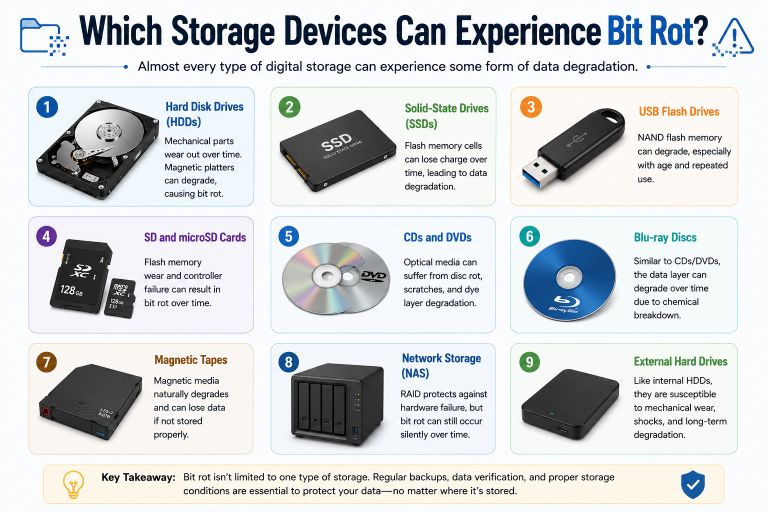
These include:
- Hard disk drives (HDDs)
- Solid-state drives (SSDs)
- USB flash drives
- SD and microSD cards
- CDs and DVDs
- Blu-ray discs
- Magnetic tapes
- Network storage (NAS)
- External hard drives
No storage technology is completely immune.
Can Bit Rot Affect Photos, Videos, and Documents?
Yes.
Bit rot can affect almost any digital file.
For example:
Photos
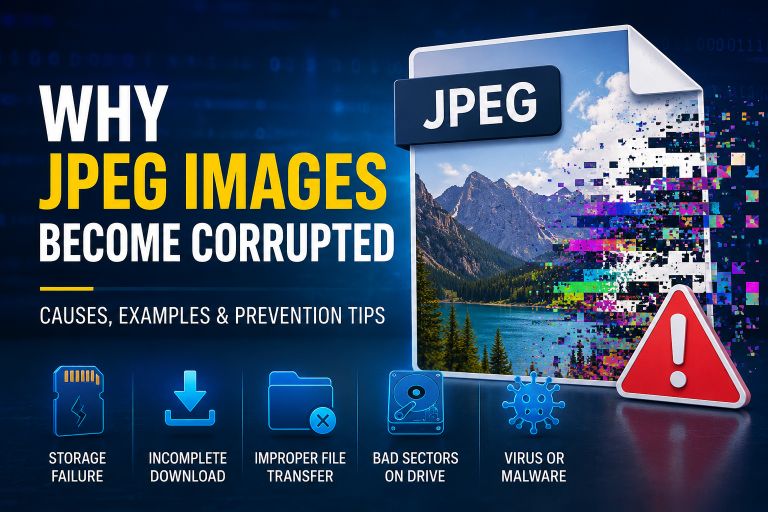
A damaged JPEG image may show colored lines, missing areas, or refuse to open.
Videos
An MP4 file may freeze, lose audio, or become completely unplayable.
Documents
PDFs, Word documents, or spreadsheets may display errors or fail to open.
ZIP Archives
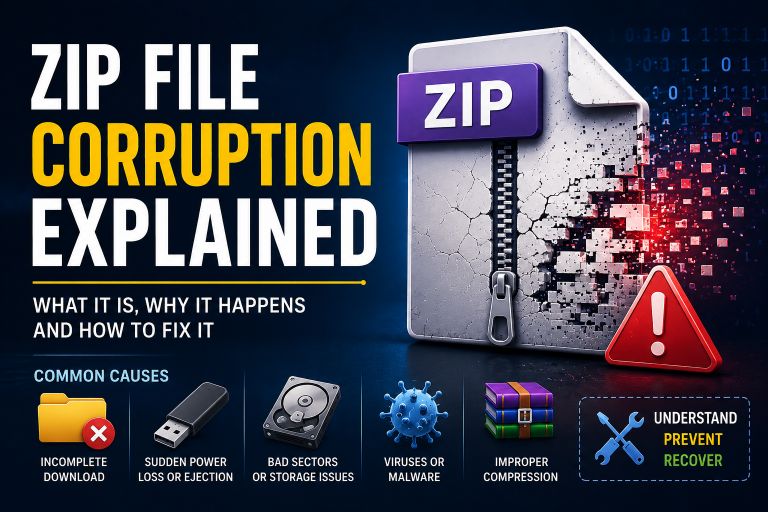
Even a small amount of corruption can prevent compressed files from being extracted successfully.
The severity depends on which part of the file has been affected.
How Do Modern Systems Protect Against Bit Rot?
Modern computers include several technologies that help detect or reduce silent data corruption.
Error Correction Codes (ECC)
ECC memory can automatically detect and correct certain types of bit errors before they affect your data.
It is commonly used in servers and professional workstations.
Checksums
Many backup programs calculate checksums for files.
If the checksum changes unexpectedly, it indicates that the file has been modified or corrupted.
File System Protection
Modern file systems include features that help detect inconsistencies and reduce corruption.
Although they cannot prevent every hardware problem, they improve overall data reliability.
Storage Device Error Correction
Most hard drives and SSDs include built-in error correction that repairs many small read errors automatically.
Users often never notice these corrections happening.
Can Bit Rot Be Repaired?
Sometimes.
Recovery depends on:
- How much of the data has changed.
- Whether a backup exists.
- Whether the storage device is still healthy.
- Whether error correction information is available.
If only a few bits have changed, repair may be possible.
If important parts of the file have been permanently lost, complete recovery may not be possible.
How to Prevent Bit Rot
Although bit rot cannot always be avoided, you can greatly reduce the risk.
Keep Multiple Backups
Follow the 3-2-1 backup rule whenever possible:
- Three copies of your data.
- Two different storage devices.
- One copy stored off-site or in the cloud.
Verify Your Backups
Creating backups isn’t enough.
Occasionally restore or verify them to ensure the files are still readable.
Replace Aging Storage Devices
Hard drives, SSDs, and memory cards should not be used indefinitely.
Replacing old storage devices before they fail helps reduce the risk of data loss.
Store Drives Properly
Keep storage devices away from excessive heat, humidity, moisture, and strong magnetic fields.
Good storage conditions help extend their lifespan.
Monitor Drive Health
Use drive health monitoring tools to check for warning signs such as increasing read errors or bad sectors.
Early detection gives you time to copy important files before problems become serious.
Is Bit Rot Common?
For everyday computer users, severe bit rot is relatively uncommon.
Modern storage devices include sophisticated error correction systems that successfully prevent most small errors from becoming permanent.
However, the risk increases when:
- Files are stored for many years.
- Backups are never checked.
- Old storage devices continue to be used beyond their expected lifespan.
- Storage media are kept in poor environmental conditions.
This is why long-term archives require regular maintenance rather than simply being stored and forgotten.
Conclusion
Bit rot is a slow form of data corruption that can affect any type of digital storage over time. It happens when tiny changes occur in the binary data that makes up your files, often without any immediate warning.
Although modern storage devices are much more reliable than older technologies, no storage medium lasts forever. Regular backups, healthy storage devices, and periodic file verification remain the best defenses against silent data corruption.
Understanding bit rot helps you appreciate that protecting your files isn’t just about preventing accidents—it’s also about ensuring your data remains readable for years to come.
Suggestions
- What Is a Corrupted File?
- APFS Reliability: Is Apple’s File System Safe for Your Data?
- Can AI Detect Corrupted Files?
- The Science Behind File Corruption
- What Is a Binary File?
- Unknown File Format Errors
- NTFS vs FAT32 Reliability: Which File System Is Better for Your Data?
- How Videos Become Corrupted
- Why JPEG Images Become Corrupted
- Recovering Corrupted Photos