Most people don’t think about file corruption until an important document won’t open, a family photo disappears, or a video suddenly becomes unplayable. At that moment, the question is always the same: What actually happened to my file?
The answer lies in how computers store and manage data.
Every file on your computer is made up of millions of tiny pieces of digital information. When even a small part of that information changes unexpectedly, the file may no longer work correctly. This is what we call file corruption.
In this article, we’ll look at the science behind file corruption in simple language, explain why it happens, and explore what actually changes inside a damaged file.
What Is File Corruption?
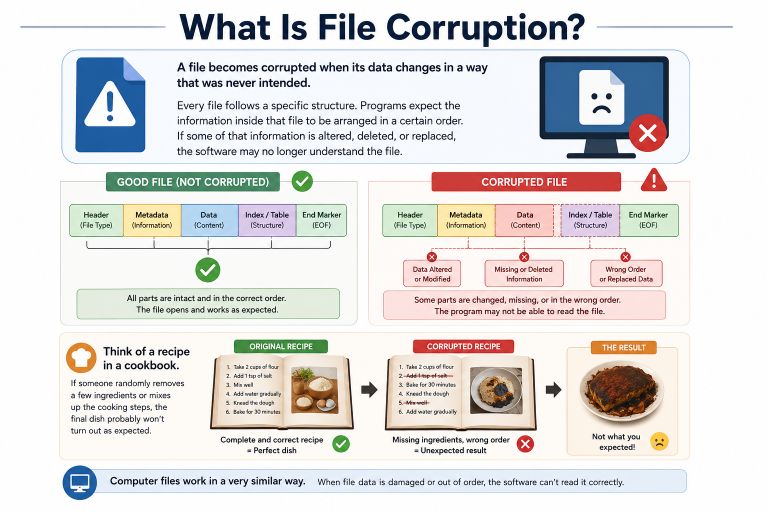
A file becomes corrupted when its data changes in a way that was never intended.
Every file follows a specific structure. Programs expect the information inside that file to be arranged in a certain order. If some of that information is altered, deleted, or replaced, the software may no longer understand the file.
Think of a recipe in a cookbook.
If someone randomly removes a few ingredients or mixes up the cooking steps, the final dish probably won’t turn out as expected.
Computer files work in a very similar way.
Everything Is Stored as Binary Data
Although we see photos, videos, documents, and music, computers only understand two numbers:
- 0
- 1
These are called binary digits, or bits.
Millions or even billions of these bits are grouped together to create every digital file.
For example:
- A JPEG image stores color information.
- A PDF stores text, fonts, and formatting.
- An MP4 stores video frames and audio.
- A ZIP archive stores compressed data.
If some of these bits change unexpectedly, the file may stop working.
How Does Data Become Corrupted?
Data corruption happens when the binary information stored inside a file changes without the software intending it.
This can happen for many different reasons.
1. Interrupted Writing Process
Whenever you save a file, your computer writes data to the storage device.
This process isn’t instant.
If the computer suddenly loses power while saving, only part of the file may be written.
The result is an incomplete file that may not open properly.
2. Storage Device Failure
Hard drives, SSDs, USB drives, and memory cards all have a limited lifespan.
Over time, tiny storage cells can wear out.
If a damaged storage area contains part of your file, the computer may read incorrect data or fail to read it altogether.
This is one of the most common causes of permanent file corruption.
3. Bit Flips
One of the more interesting causes of corruption is something called a bit flip.
A bit flip happens when a binary value changes unexpectedly.
For example:
Original:
01010110

After Bit Flip:
01000110
Only one digit has changed.
For a small text file, this might not matter much.
For a compressed archive, image, or executable program, even a single incorrect bit can make the entire file unusable.
Bit flips are rare but can happen because of:
- Faulty memory
- Hardware defects
- Electrical interference
- Aging storage devices
4. File System Errors
Your operating system doesn’t simply store files randomly.
Instead, it uses a file system to track where every piece of data is stored.
If the file system itself becomes damaged, your files may appear corrupted even though much of the original data still exists.
Try More File Corruption Tools
5. Software Bugs
Programs occasionally contain bugs.
If an application crashes while saving a document or exporting a video, it may create an incomplete or invalid file.
Most modern software includes protection against this, but failures can still happen.
6. Malware
Viruses and ransomware intentionally modify files.
Some malware encrypts files.
Others overwrite parts of the data or delete important file structures.
In these cases, the corruption is deliberate rather than accidental.
Why Do Some Corrupted Files Still Open?
Not every file becomes completely unusable.
Whether a corrupted file still works depends on where the damage occurred.
For example:
A movie file may lose a few video frames but continue playing.
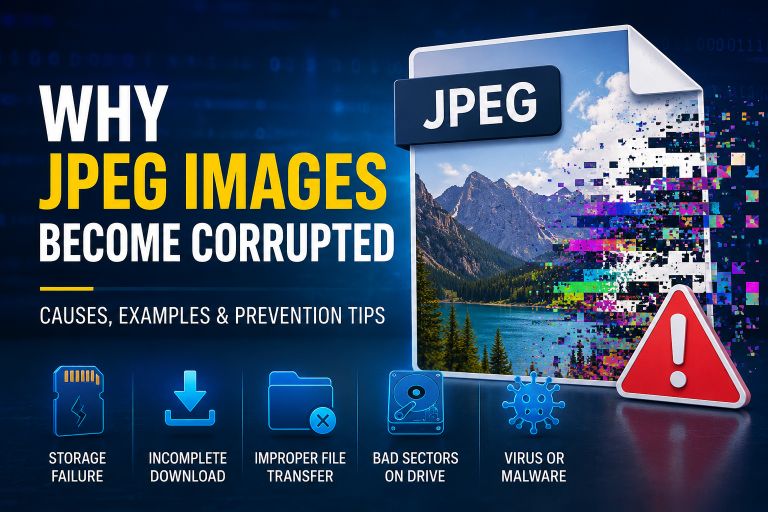
A JPEG image might display a colored line while the rest of the photo looks normal.
A Word document may lose a paragraph but still open.
On the other hand, if the file header is damaged, the application may refuse to open the file at all.
Why File Headers Are So Important
Most files begin with a header.
The header tells software:
- What type of file it is
- How the data is organized
- Which version of the format is being used
- Where important sections begin
If the header becomes corrupted, the rest of the file may still exist, but the software no longer knows how to interpret it.
That’s why even small amounts of header damage can make an entire file appear broken.
Why Some Files Are Easier to Repair
Different file formats are designed differently.
Some include built-in recovery information or redundant data.
Others rely heavily on a single file header.
For example:
- JPEG images sometimes allow partial recovery.
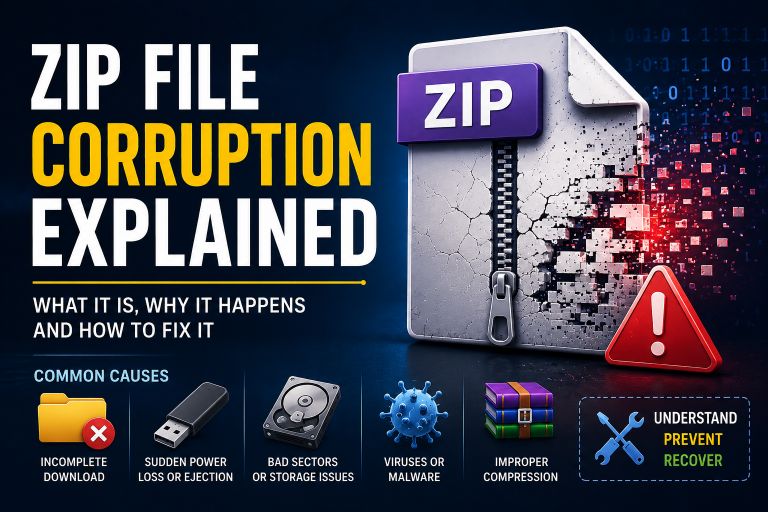
- ZIP archives may recover undamaged files inside the archive.
- Videos often need both the header and index information.
- Databases usually require every structure to remain intact.
This is why repair success varies from one file type to another.
Can Corrupted Data Be Repaired?
Sometimes.
Recovery depends on several factors:
- How much of the file is damaged
- Whether important structures still exist
- The condition of the storage device
- Whether the original data has been overwritten
Repair software may rebuild headers, repair indexes, or reconstruct damaged structures.
However, if the original binary data has been permanently lost, no software can recreate it perfectly.
How Modern Storage Devices Reduce Corruption
Today’s storage devices include technologies that help protect your data.
These include:
- Error detection
- Error correction codes (ECC)
- Wear leveling (for SSDs)
- Bad sector management
- Automatic data verification
These features reduce corruption but cannot eliminate it completely.
Unexpected power failures, physical damage, and malware can still cause files to become corrupted.
How to Reduce the Risk of File Corruption
Although no storage system is perfect, a few simple habits can greatly reduce the chances of losing important files.
- Back up your important data regularly.
- Safely eject USB drives and memory cards.
- Replace aging storage devices before they fail.
- Keep your operating system updated.
- Use reliable antivirus software.
- Avoid interrupting file transfers.
- Use a UPS if your area experiences frequent power outages.
Small precautions today can prevent major data loss later.
Why Understanding File Corruption Matters
Understanding the science behind file corruption isn’t just useful for IT professionals.
It helps anyone who stores digital files.
When you know how corruption happens, you’re more likely to:
- Protect your important files.
- Recognize early warning signs of storage failure.
- Choose better backup strategies.
- Recover damaged files more effectively.
- Avoid accidental data loss.
Knowledge is one of the best ways to protect your digital information.
Conclusion
File corruption isn’t random. It happens because digital information changes in ways that computers don’t expect. Whether the cause is a power failure, failing storage device, software crash, malware, or even a rare bit flip, the result is the same: the file’s internal structure is altered.
Fortunately, modern storage devices and operating systems include many technologies that reduce the risk of corruption. Combined with regular backups and good file management habits, these protections can help keep your data safe.
The more you understand how files work behind the scenes, the better prepared you’ll be to prevent data loss and recover important files when problems occur.
Suggestions
- What Is a Corrupted File?
- What Is a Binary File?
- Unknown File Format Errors
- NTFS vs FAT32 Reliability: Which File System Is Better for Your Data?
- How Videos Become Corrupted
- Why JPEG Images Become Corrupted
- Recovering Corrupted Photos
- ZIP File Corruption Explained
- How to Fix a Corrupted File
- Corrupt Any File Tool
- Corrupt PDF Tool
- Corrupt Image Tool