ZIP files make it easy to store and share multiple files in a single compressed folder. Whether you’re sending documents, photos, software, or backups, ZIP archives help reduce file size and keep everything organized. But sometimes, a ZIP file refuses to open or displays an error when you try to extract it. This is usually a sign that the ZIP file has become corrupted.
In this article, you’ll learn what ZIP file corruption is, why it happens, how to recognize the warning signs, and what you can do to fix or prevent it.
What Is ZIP File Corruption?
A corrupted ZIP file is a compressed archive that has been damaged in some way. When this happens, your computer cannot properly read the information stored inside the archive.
Instead of extracting the files, you may see messages like:
- “The archive is corrupt.”
- “Unexpected end of archive.”
- “Cannot open ZIP file.”
- “Invalid compressed folder.”
- “CRC error.”
Sometimes only one file inside the ZIP archive is affected. In other cases, the entire archive becomes unreadable.
How Does a ZIP File Become Corrupted?
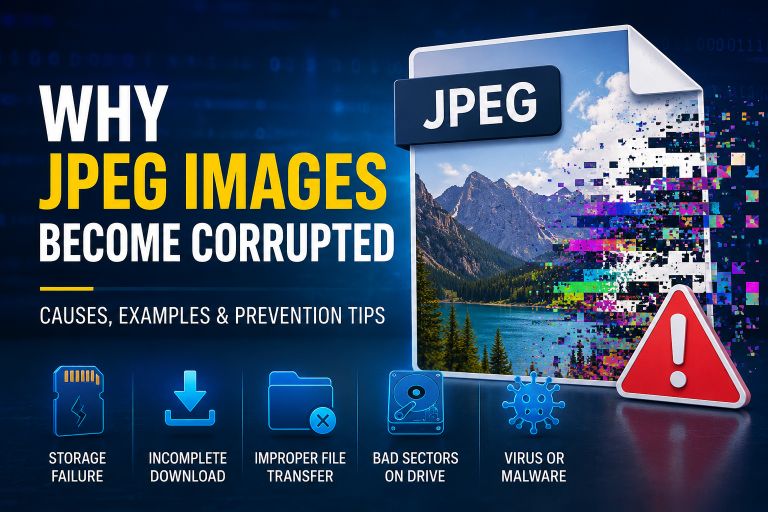
ZIP corruption can happen for many reasons. Some are caused by hardware problems, while others happen during file transfers or downloads.
1. Incomplete Downloads
One of the most common causes is an interrupted download.
If your internet connection drops while downloading a ZIP file, the download may finish with missing data. Although the file appears complete, important information may be missing, making it impossible to extract.
2. Interrupted File Transfer
Copying a ZIP file to a USB drive, external hard drive, or another computer should always finish completely.
If the storage device is removed before the transfer is finished, the archive may become damaged.
Always wait until the copy process is complete and safely eject external devices.
3. Bad Sectors on the Storage Device
Hard drives, SSDs, and USB drives don’t last forever.
Over time, they can develop bad sectors—small areas that can no longer store data correctly. If part of a ZIP file is saved in one of these damaged areas, the archive may become unreadable.
4. Sudden Power Failure
Imagine you’re creating a ZIP archive or copying one to another drive when your computer suddenly loses power.
Because the writing process stops unexpectedly, the ZIP file may be incomplete or corrupted.
Using a laptop battery or an uninterruptible power supply (UPS) can reduce this risk.
5. Virus or Malware Infection
Some viruses modify or damage files stored on your computer.
A malware infection can corrupt ZIP archives, delete important information inside them, or even encrypt them so they cannot be opened.
Keeping your antivirus software updated is an easy way to reduce this risk.
6. Faulty Compression Software
Although uncommon, software bugs can sometimes create damaged ZIP archives.
This is more likely when using outdated compression tools or if the compression process crashes before it finishes.
Keeping your software updated helps avoid these problems.
7. File System Errors
Your operating system uses a file system to keep track of where files are stored.
If the file system becomes damaged because of improper shutdowns or storage problems, ZIP files may become inaccessible even though the data itself still exists.
Signs That a ZIP File Is Corrupted
A corrupted ZIP file usually gives clear warning signs.
You may notice that:
- The ZIP file won’t open.
- Extraction stops before finishing.
- Error messages appear during extraction.
- Some files are missing after extraction.
- Files inside the archive cannot be opened.
- The archive size looks unusually small.
- Different extraction programs show the same errors.
If more than one ZIP file suddenly becomes corrupted, the problem may be with your storage device instead of the files themselves.
Corrupt & Test Your ZIP File: Corrupt ZIP & RAR Files Online
Can a Corrupted ZIP File Be Repaired?
Sometimes it can.
Whether recovery is possible depends on how badly the archive is damaged.
If only a small part of the ZIP structure is corrupted, repair tools may rebuild the archive and recover most or all of the files.
If large portions of the archive are missing, complete recovery may not be possible. However, some repair tools can still recover the files that remain intact.
If you have another copy of the ZIP file, restoring it from a backup is usually the easiest solution.
Also Read: Recovering Corrupted Photos
How to Reduce the Risk of ZIP File Corruption
A few simple habits can prevent most ZIP file problems.
Keep Backups
Always keep copies of important ZIP archives on another drive or in cloud storage.
Download Files Completely
Avoid pausing or interrupting downloads whenever possible.
If a download fails, download the archive again instead of using the incomplete file.
Safely Remove External Drives
Never unplug a USB drive while files are still being copied.
Use the “Safely Remove Hardware” option before disconnecting storage devices.
Check Your Storage Device
If you notice frequent file corruption, test your hard drive, SSD, or USB drive for errors.
Replacing a failing storage device early can prevent permanent data loss.
Protect Your Computer
Keep your operating system and antivirus software updated to reduce the risk of malware-related corruption.
Testing ZIP Corruption
Sometimes you may actually need a corrupted ZIP file.
Software developers, IT administrators, cybersecurity professionals, and students often use damaged ZIP archives to test:
- File recovery software
- Backup systems
- Error handling
- Compression tools
- Digital forensics applications
Instead of damaging an important archive manually, you can use a ZIP corruption tool to create a corrupted copy while leaving the original file untouched. This provides a safe way to test software without risking valuable data.
Final Thoughts
ZIP file corruption is a common problem, but in many cases it can be avoided. Interrupted downloads, failing storage devices, sudden power loss, malware, and file system errors are among the most common causes.
The good news is that not every corrupted ZIP file is permanently lost. If you act quickly, keep backups, and use reliable storage devices, there’s a good chance you can recover your data or avoid corruption altogether.
Whether you’re dealing with a damaged archive or testing recovery software, understanding how ZIP corruption happens makes it much easier to protect your important files.