Artificial intelligence is changing the way we work with digital data. From recognizing faces in photos to detecting malware, AI is becoming part of many everyday technologies. This naturally raises an interesting question: Can AI detect corrupted files?
The short answer is yes—but with some limitations.
AI can help identify patterns that suggest a file is damaged, but it doesn’t replace traditional file validation methods. In many cases, the best results come from combining AI with standard techniques such as checksum verification, file signature analysis, and error detection.
In this article, we’ll explore how AI detects corrupted files, where it performs well, and where conventional methods are still more reliable.
What Is a Corrupted File?
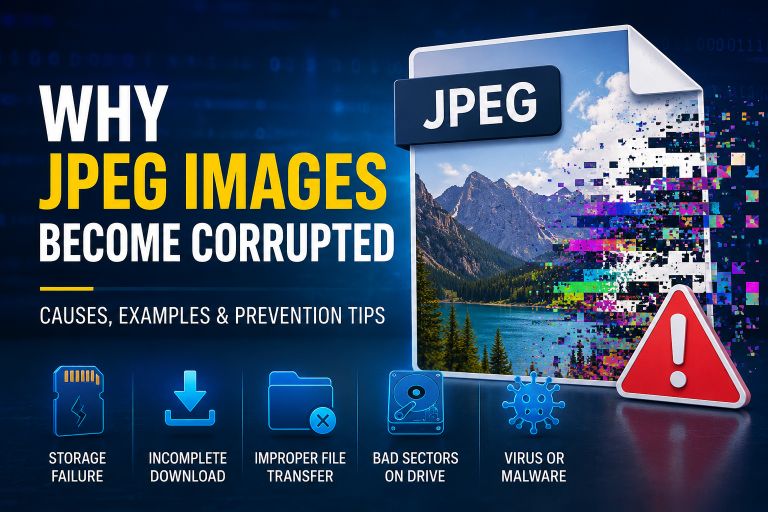
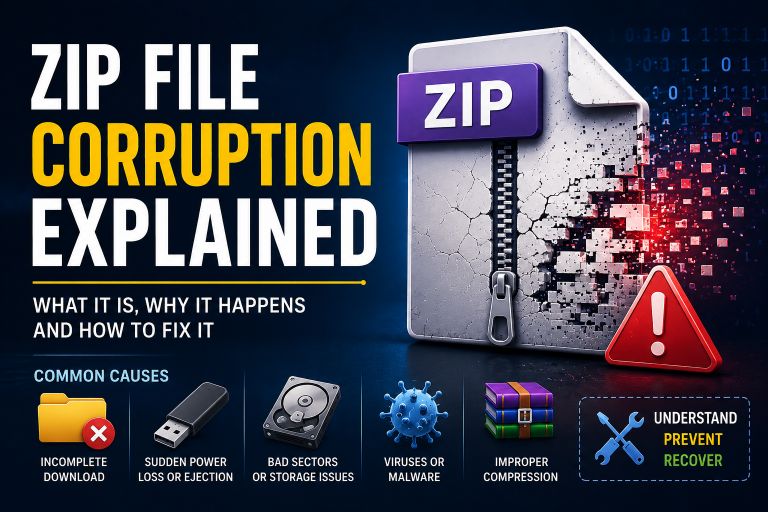
A corrupted file is a file whose data has been unintentionally altered, damaged, or lost. This can happen because of:
- Power failures during file saving
- Interrupted downloads or file transfers
- Failing hard drives or SSDs
- Bad sectors on storage devices
- Malware or ransomware
- Software crashes
- File system errors
Depending on the damage, the file may refuse to open, display missing content, or generate an error message.
How Files Are Normally Checked for Corruption
Before AI became popular, computers relied on well-established methods to determine whether a file was valid.
These include:
- Checking the file header
- Verifying the file structure
- Comparing checksums or hashes
- Reading metadata
- Validating file signatures
- Detecting missing or damaged sections
These methods are fast and highly accurate because they follow predefined rules.
For example, if a ZIP archive is missing its directory structure or a JPEG file has an invalid header, software can immediately recognize that something is wrong.
Where AI Fits In
Artificial intelligence works differently.
Instead of following only fixed rules, AI learns from examples. By analyzing thousands or even millions of files, an AI model can recognize patterns associated with healthy files and corrupted ones.
Rather than asking, “Does this file match a specific rule?”, AI asks, “Does this file look similar to the examples of damaged files I’ve seen before?”
This makes AI useful for detecting subtle problems that may not be obvious with simple rule-based checks.
How AI Can Detect Corrupted Files
Pattern Recognition
AI models are excellent at finding unusual patterns.
For example, an AI system trained on image files may recognize that certain pixel arrangements or compression artifacts are typical signs of corruption.
Similarly, an AI trained on video files may detect abnormal frame sequences or missing metadata.
Detecting Incomplete Files
Sometimes a downloaded file appears complete but is actually missing data.
AI can compare the file against patterns learned from thousands of valid files and estimate whether important sections are absent.
Finding Hidden Damage
Some files still open even though part of the data has been corrupted.
AI may identify subtle signs of damage before the corruption becomes obvious to the user.
This is particularly useful in industries that work with large collections of images, videos, or scientific data.
Predicting Storage Problems
AI is also used to monitor storage devices.
Instead of examining only the files themselves, machine learning models analyze information such as:
- Read and write errors
- SMART health data
- Temperature trends
- Error rates
- Drive performance
By identifying unusual patterns, AI can sometimes predict storage failures before files become corrupted.
Can AI Repair Corrupted Files?
Sometimes.
If an AI system has learned the structure of a particular file format, it may be able to reconstruct missing or damaged sections.
Examples include:
- Restoring damaged photographs
- Improving corrupted videos
- Filling missing image regions
- Rebuilding damaged audio
However, AI cannot magically recreate information that has been permanently lost.
If large portions of a file have been overwritten or deleted, any reconstruction is based on prediction rather than the original data.
AI vs Traditional Corruption Detection
Both approaches have strengths.
Traditional Detection
Traditional methods are ideal for:
- File header validation
- Checksum verification
- Hash comparison
- File format verification
- Exact corruption detection
They are fast, predictable, and extremely accurate when the file format is known.
AI-Based Detection
AI is better suited for:
- Detecting unusual patterns
- Identifying visual corruption in images
- Spotting video playback issues
- Finding anomalies in large datasets
- Predicting hardware failures
Rather than replacing traditional tools, AI often complements them.
Where AI Is Already Being Used
AI-powered corruption detection is becoming more common across different industries.
Examples include:
Cloud Storage
Cloud providers use AI to monitor storage systems and identify hardware issues before they affect customer data.
Digital Photography
Photo management software can detect damaged images and, in some cases, improve or reconstruct corrupted areas.
Video Processing
AI helps identify damaged frames, playback errors, and missing video information during processing.
Cybersecurity
Security software uses AI to detect files that behave abnormally, helping identify malware or suspicious file modifications.
Data Centers
Large organizations use AI to monitor thousands of storage devices and predict failures before data loss occurs.
Limitations of AI
Although AI is powerful, it has important limitations.
AI cannot:
- Recover data that no longer exists.
- Guarantee accurate reconstruction of missing information.
- Correct every type of file corruption.
- Replace reliable backups.
Its accuracy also depends on the quality of the data it was trained on.
For this reason, AI should be viewed as an additional tool rather than a complete replacement for established recovery methods.
How to Protect Your Files
Whether AI is involved or not, prevention remains the best strategy.
You can reduce the risk of file corruption by:
- Creating regular backups.
- Safely removing USB drives and memory cards.
- Using reliable storage devices.
- Keeping software updated.
- Installing trusted antivirus software.
- Avoiding interruptions while copying or saving files.
- Replacing storage devices that show signs of failure.
These simple habits provide much better protection than relying on recovery after corruption occurs.
Can You Create Corrupted Files to Test AI?
Yes.
Developers, researchers, software testers, and students often create intentionally corrupted files to evaluate:
- AI detection models
- File recovery software
- Backup systems
- Upload validation
- Digital forensics tools
- Error handling in applications
Instead of damaging an important file, it’s safer to generate a corrupted copy using a dedicated file corruption tool. This allows you to test AI systems under realistic conditions while keeping your original files unchanged.
Conclusion
AI is becoming an increasingly valuable tool for detecting corrupted files. By learning patterns from large datasets, it can identify subtle signs of damage, predict storage failures, and assist with recovering certain types of files.
However, AI is not a replacement for traditional file validation techniques. File headers, checksums, hashes, and format verification remain essential for accurately detecting corruption.
The strongest approach combines both technologies. Traditional methods provide precise validation, while AI adds intelligent analysis that can uncover problems that might otherwise go unnoticed. As AI continues to improve, it will play an even bigger role in protecting digital data, but regular backups and good storage practices will always remain your best defense against file corruption.